 Resale Record
Settings
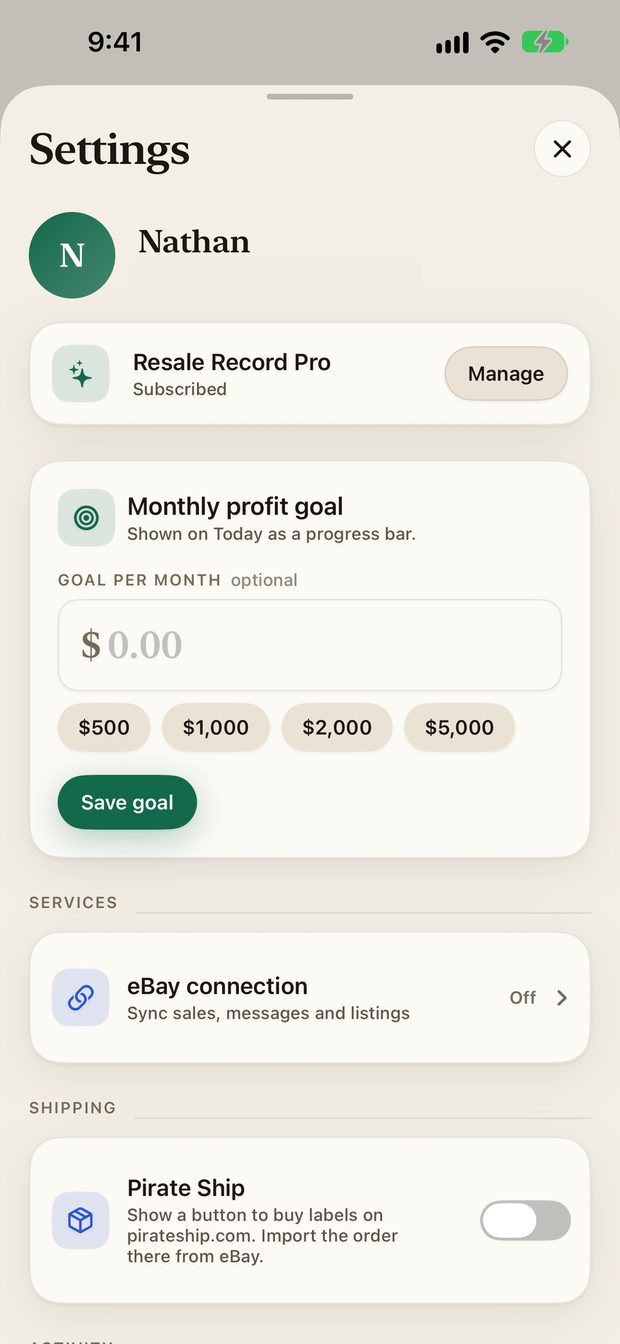
Everything in Settings: your subscription, monthly profit goal, eBay connection, Pirate Ship, year in review, exports, import, support links, password and account deletion.
Open Settings by tapping your avatar, top right on Today.
Your account and subscription#
The top of Settings shows your name and your Resale Record Pro status. Tap Manage to see the paywall and your plan, or Subscribe if you have not yet. See Subscription and account.
Monthly profit goal#
Set a goal per month, with quick amounts of $500, $1,000, $2,000 and $5,000, and tap Save goal. Today then shows a progress bar toward it. Tap Remove to clear it.
Services#
eBay connection connects your seller account, shows its status, and disconnects it. See Connect eBay.
Shipping#
The Pirate Ship switch adds a Buy label on Pirate Ship button to ready-to-ship eBay sales. It is off by default. See Shipping labels.
Activity#
- Year in review shows net profit and your Schedule C numbers.
- Schedule C export makes a PDF, an email or spreadsheets. See Schedule C export.
- Import from spreadsheet brings purchases and sales in from a CSV. See Import a spreadsheet.
Support#
- Privacy opens how your data is handled.
- Help & support opens the support page.
Account#
- Password changes the password you sign in with.
- Delete account permanently deletes your account and data. Export your records first.
- Sign out signs you out of this device. You will need to sign in again to see your records here.
The version and build number appear at the bottom. Tap them to copy, which helps when you contact support.
Something missing or out of date? Email [email protected] and tell us what you expected to see.