 Resale Record
Donations
Record unsold inventory you donate, keep the receipt and fair market value, and see the year's total, count and average for your tax records.
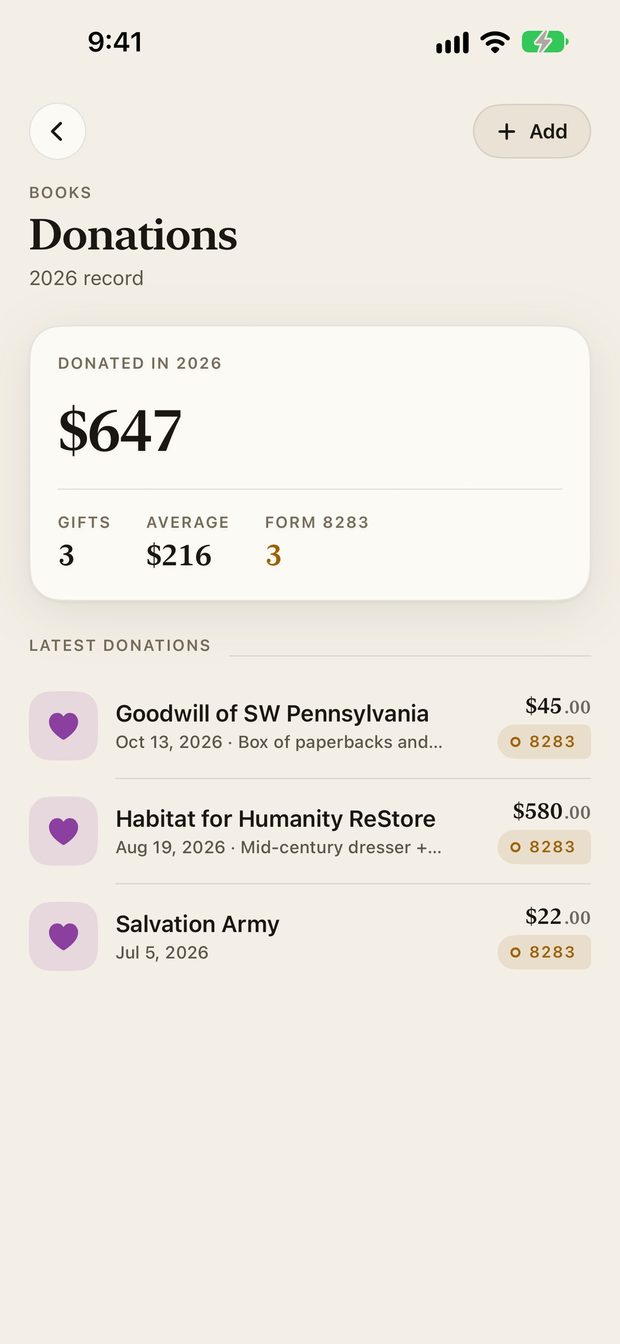
Donations show the year's total fair market value, the number of gifts and the average, then each donation newest first.
Add a donation#
Tap Add on the Donations screen, or Capture, Donation. You have two ways in.
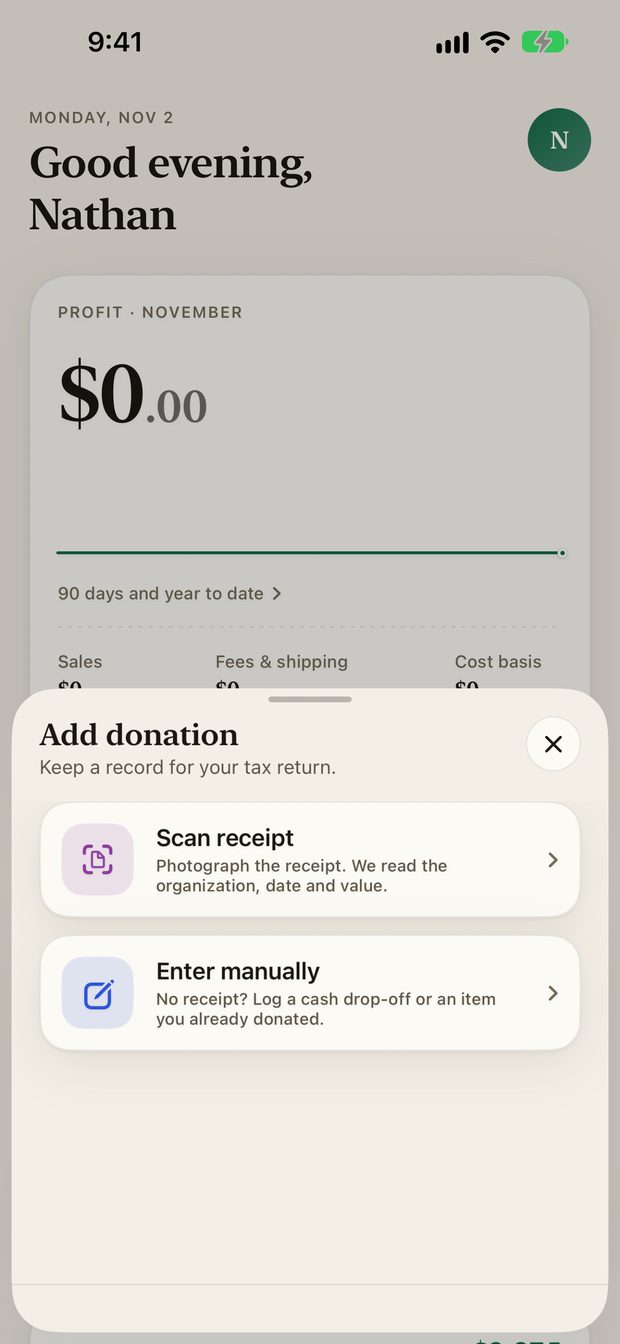
- Scan receipt. Photograph the receipt and the app reads the organization, date and value.
- Enter manually. For a cash drop-off with no receipt, or an item you already donated.
You can also donate an item straight from your Pile with Donate, which carries over its details.
Receipt reading is one of the optional AI features, so the app asks permission first.
Edit a donation#
Tap one to open or edit it, or delete it with a confirmation.
Form 8283#
Larger non-cash donations may need Form 8283 with your return. The Donations screen tracks how many of yours may need it. Ask your tax preparer which forms apply to you.
For the record keeping behind donated inventory, read Keep records when you donate unsold inventory.
Something missing or out of date? Email [email protected] and tell us what you expected to see.